Hey there! As a supplier of 24V forklift chargers, I often get asked about how to adjust the charging parameters of these chargers. It's a crucial topic because getting the right settings can significantly impact the performance and lifespan of your forklift batteries. So, let's dive right into it.
Understanding the Basics
First off, it's important to know why adjusting the charging parameters matters. Different forklift batteries have different requirements based on their type, capacity, and state of charge. For instance, a lithium-ion battery will need a different charging profile compared to a lead-acid battery. If you don't adjust the charger settings correctly, you might end up undercharging or overcharging the battery, which can lead to reduced battery life and even safety issues.
Types of Charging Parameters
There are several key charging parameters that you can adjust on a 24V forklift charger:
- Voltage: The voltage setting determines the amount of electrical pressure applied to the battery during charging. For a 24V forklift battery, you'll typically want to set the charger to output around 24V, but this can vary depending on the battery's specific requirements. Some batteries might need a slightly higher voltage during the initial charging phase to quickly bring them up to a usable state, while others might require a lower voltage to prevent overcharging.
- Current: The current setting controls the rate at which the battery is charged. A higher current will charge the battery faster, but it can also generate more heat and potentially damage the battery if not carefully monitored. On the other hand, a lower current will charge the battery more slowly but is generally safer for the battery's long-term health. You'll need to find the right balance based on the battery's capacity and the time you have available for charging.
- Charging Time: This parameter determines how long the charger will run. You can set it based on the battery's state of charge and the desired level of charge. For example, if the battery is only partially discharged, you might not need to charge it for as long as if it were completely flat.
Adjusting the Charging Parameters
Now that you understand the different charging parameters, let's talk about how to adjust them on a 24V forklift charger.
Step 1: Read the Manual
The first and most important step is to read the charger's manual. Every charger is different, and the manual will provide you with specific instructions on how to access and adjust the charging parameters. It will also give you important information about the charger's safety features and any limitations or warnings.
Step 2: Identify the Battery Type
Before you start adjusting the parameters, you need to know what type of battery you're dealing with. As I mentioned earlier, lithium-ion and lead-acid batteries have different charging requirements. Make sure you have the correct battery type information, as this will determine the appropriate voltage, current, and charging time settings.

Step 3: Access the Charger's Settings
Most modern 24V forklift chargers have a control panel or a digital display that allows you to access and adjust the charging parameters. The process for accessing these settings can vary depending on the charger model, but it usually involves pressing a series of buttons or using a touchscreen interface. Refer to the manual for detailed instructions on how to access the settings menu.
Step 4: Adjust the Voltage
Once you're in the settings menu, locate the voltage setting. Use the up and down arrows or the numerical keypad to adjust the voltage to the appropriate level for your battery. Remember to double-check the battery's specifications to ensure you're setting the correct voltage.
Step 5: Adjust the Current
Next, find the current setting and adjust it based on the battery's capacity and your charging needs. If you're in a hurry and need to charge the battery quickly, you can set a higher current, but be aware of the potential risks. If you have more time, it's generally better to set a lower current for a safer and more gentle charge.
Step 6: Set the Charging Time
Finally, set the charging time based on the battery's state of charge and the desired level of charge. You can usually enter the charging time in hours or minutes, depending on the charger's capabilities. Make sure to leave some extra time for the charger to complete the charging process and perform any necessary maintenance functions.
Step 7: Save the Settings
Once you've adjusted all the parameters to your satisfaction, save the settings in the charger's memory. This will ensure that the charger uses the same settings every time you connect the battery. Some chargers might also allow you to save multiple sets of settings for different battery types or charging scenarios.
Tips for Adjusting Charging Parameters
Here are some additional tips to help you adjust the charging parameters of your 24V forklift charger:
- Monitor the Charging Process: Keep an eye on the charger and the battery during the charging process. Check for any signs of overheating, excessive voltage or current, or other abnormalities. If you notice anything unusual, stop the charging process immediately and consult the manual or a professional.
- Use a Battery Analyzer: A battery analyzer can help you accurately measure the battery's state of charge and health. This information can be invaluable when adjusting the charging parameters, as it allows you to make more informed decisions based on the battery's actual condition.
- Follow the Manufacturer's Recommendations: Always follow the manufacturer's recommendations for charging your forklift battery. These recommendations are based on extensive testing and research and are designed to ensure the safe and efficient operation of the battery.
Our Product Range
At our company, we offer a wide range of 24V forklift chargers to meet your specific needs. Here are some of our popular products:
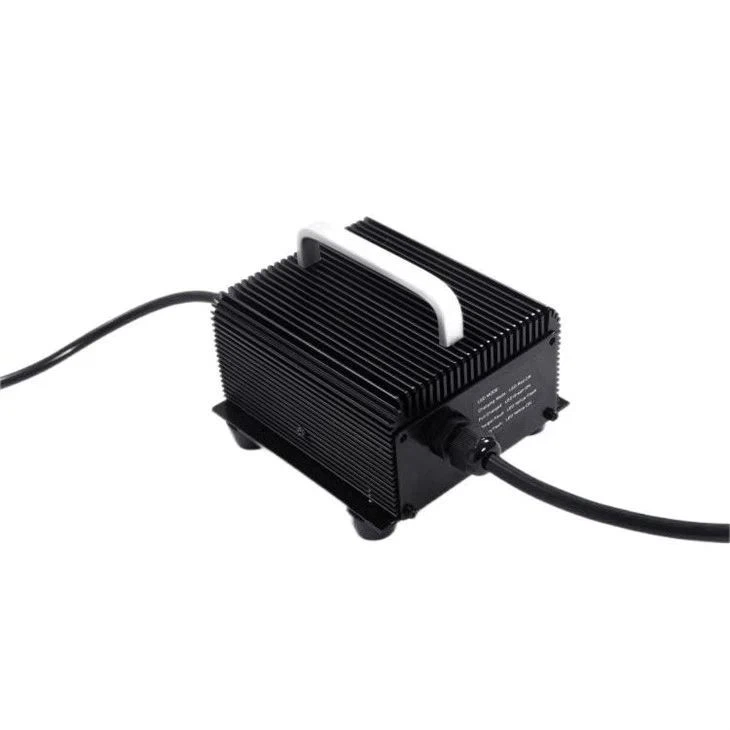
- 24V15A Battery Charger With Handle: This charger is lightweight and easy to carry, making it ideal for on-the-go charging. It has a 15A output current and is suitable for a variety of 24V forklift batteries.
- Forklift Lithium Ion Battery Chargers: If you're using lithium-ion batteries in your forklift, our specialized chargers are designed to provide the optimal charging profile for these batteries. They offer fast charging times and advanced safety features to protect your batteries.
- 24V Portable Battery Charger: This portable charger is perfect for situations where you need to charge your forklift battery away from a traditional power source. It's compact and can be easily transported to different locations.
Conclusion
Adjusting the charging parameters of a 24V forklift charger is an important skill that can help you extend the life of your forklift batteries and ensure their optimal performance. By understanding the different parameters and following the steps outlined in this blog post, you'll be able to set your charger to the correct settings for your specific battery type and charging needs.
If you have any questions or need further assistance with adjusting the charging parameters of your 24V forklift charger, or if you're interested in purchasing one of our high-quality chargers, please don't hesitate to contact us. We're here to help you find the best charging solution for your forklift.
References
- Battery Charging Handbook, Battery Council International
- Forklift Maintenance Guide, Industrial Truck Association